
Geometry Vibes 2
by gameVgames
 1
1  1
1 Game Controls
Game Instruction
















Geometry Vibes 2
| Rating |
2 votes |
|---|---|
| Developer | gameVgames |
| Technology | HTML5 |
| Platforms | Browser (desktop, mobile, tablet) |
| Orientation | Landscape |
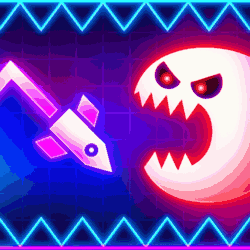
Geometry Vibes 2 Online is an arcade game where you guide an arrow through dangerous obstacles and race against other players to reach the finish first.
You control an arrow that flies through levels filled with spikes walls and other dangerous obstacles. Your goal is to avoid hitting anything and reach the finish portal safely. The controls are simple but you need quick reactions and good timing because even a small mistake can make you crash.
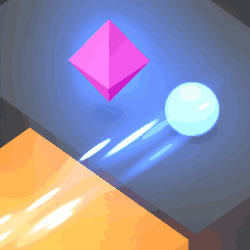
The game has four modes to try. In Classic Mode you complete 20 levels that become more difficult as you progress. In Infinity Mode you keep moving for as long as possible and try to beat your highest score. Multiplayer Mode lets you challenge random players online or create a private room to race against a friend. Race Mode is for local competition where two three or four players can compete on the same device to see who reaches the finish first.
To control your arrow press and hold the Left Mouse Button or Spacebar to make it fly upward then release to make it move downward. Use short presses for small adjustments and hold longer when you need to climb higher. During multiplayer races you may also encounter speed boosters and speed slowers so pay attention to what is ahead before making your next move.
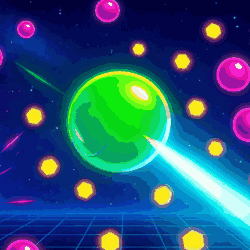
You can also collect coins while playing and use them to unlock new arrow skins and trails. There are 24 arrow skins and 16 trails to choose from so you can customize the appearance of your arrow. Whether you want to complete every Classic level or compete against other players the key is to learn the movement and react at the right moment.
Controls:- Player 1: Left Mouse Button / Spacebar – Fly up
- Player 2: Up Arrow – Fly up
- Player 3: H – Fly up
- Player 4: L – Fly up
- Mobile & Tablet: Touch
- Use short presses to make small movements through narrow gaps and avoid holding the button for too long.
- Look ahead and react early when approaching spikes or speed-changing areas so you can adjust your movement in time.
Developed by gameVgames.
Game Instruction
Gameplay Video
