
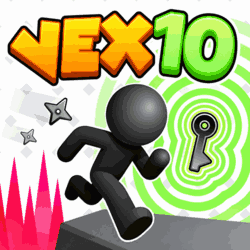
Vex 10
by Azerion Casual Games
 1
1  1
1 Game Controls
Game Instruction


Vex 10
| Rating |
2 votes |
|---|---|
| Developer | Azerion Casual Games |
| Technology | HTML5 |
| Platforms | Browser (desktop, mobile, tablet) |
| Orientation | Landscape |
Vex 10 is a platform game where you run, jump, and slide past deadly traps, using clones, frozen time, and reversed gravity to find your way to the exit.
Vex 10 is a platform game where you run, jump, and slide past deadly traps, using clones, frozen time, and reversed gravity to find your way to the exit.
You start in a main hub that connects the levels, known as Acts, but even this area has traps to watch out for as you explore. When you find an Act block, stand on top of it and press S or the Down Arrow to enter, then work your way toward the green exit portal. There are nine main Acts and a boss level, along with tougher Hardcore Acts if you want to put your skills to the test.
Make sure you touch the red flags along the way, because they turn green when activated and save your place in the level. If you fall into a trap, you return to the last flag you reached, which makes it easier to learn a difficult jump without starting from the beginning. A failed attempt can also help you spot what went wrong, whether you jumped too soon or rushed past a moving obstacle.
You can also use special portals to create a clone and take control of it, helping your original stickman get past obstacles that one character cannot handle alone. You still need to keep the clone safe, since losing it can undo its work and send you back to a checkpoint. Once you have done what you need to do, return to the portal to take control of your original character again.
Challenge Mode gives you several stickmen to control at once, with all of them following the same inputs on different courses. A jump that saves one might send another into a trap, so you need to watch every character and think through each move before pressing a button. Outside these challenges, you can collect coins, earn medals, complete daily tasks, and unlock more than 30 skins to give your stickman a different look.
Use A and D or the Left and Right Arrow Keys to move, W or the Up Arrow to jump, and S or the Down Arrow to crouch or slide. Jump against walls while holding the direction toward them to climb, and move the mouse while standing still when you want to look around. Press R to restart a level, or use the on-screen movement buttons if you are playing on mobile.
Controls:- Mobile & Tablet: Touch
- Desktop: Arrow Keys or WASD
- Watch moving traps for a moment before trying to pass them.
- In Challenge Mode, check every character before making a move.
Developed by Azerion Casual Games.
Game Instruction