
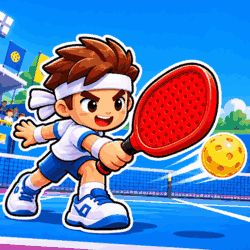
Pickle Rally
by DamePlay Games
 1
 1
Game Controls
Game Instruction







Pickle Rally
| Rating |
2 votes |
|---|---|
| Developer | DamePlay Games |
| Technology | HTML5 |
| Platforms | Browser (desktop, mobile, tablet) |
| Orientation | Portrait |
Pickle Rally is a pickleball game where you time your swings, mix up your shots, and take on rivals around the world in tournaments and quick matches.
Your player runs toward the ball automatically, leaving you to choose the shot and decide when to swing. Start with the tutorial, where a ball machine gives you a chance to practise without an opponent waiting to score. It walks you through the different shots, shows you how to aim, and asks you to land two well-timed returns before you head into a match.
You have three main shots to work with: a soft dink, a harder drive, and a high lob. A dink lets you play a short ball, while a drive sends it back with more pace. The lob gives you a higher return, and using a drive on a high ball lets you smash it. Watch where your opponent is standing and try to send the ball into the space they’ve left open, rather than hitting everything straight back to them.
Timing takes a little practice, so keep an eye on the white ring beside your paddle as the ball approaches. Swing when the ball reaches that area and try to make one deliberate press for each return. Pressing repeatedly can throw off your timing, and even a perfectly timed shot still needs to land inside the court. Once you’re comfortable returning the ball, start aiming left and right to make your opponent move.
World Tour takes you through 10 countries and 32 matches as you work toward becoming champion. After that, World Tour Elite lets you face the crowned country champions. If you want a shorter session, Quick Play offers matches of one or three sets, while Endless challenges you to keep going for as long as possible. You can also compete for bronze, silver, and gold cups in Champion Tour or face giant food opponents in Food Battle.
On a keyboard, press J for a dink, K for a drive, and L for a lob, holding A or D as you hit to aim left or right. Automatic movement is on by default, but you can switch to Free movement in Settings and use WASD to move yourself. With mouse or touch controls, click or tap for a dink, swipe up for a drive, and swipe down for a lob. In Free movement mode on a touchscreen, the left half of the screen acts as a joystick.
Computer Controls:- J - Dink.
- K - Drive; hit a high ball to smash.
- L - Lob.
- A/D while hitting - Aim left or right.
- WASD - Move in Free movement mode.
- Left Mouse Button - Dink; click left or right of center to aim.
- Swipe Up - Drive.
- Swipe Down - Lob.
- P - Pause.
- Mobile & Tablet: Touch
- Watch the ring beside your paddle and press once for each shot.
- Aim for open space, but leave some room inside the sidelines.
Developed by DamePlay Games.
Game Instruction