
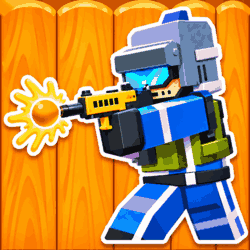
Paintball Squad
by HyperJoy
 1
 1
Game Controls
Game Instruction






Paintball Squad
| Rating |
2 votes |
|---|---|
| Developer | HyperJoy |
| Technology | HTML5 |
| Platforms | Browser (desktop, mobile, tablet) |
| Orientation | Landscape |
Paintball Squad is a first-person paintball game where you take on bots in six blocky arenas, tagging rivals to score points or bringing home the enemy flag.
Your first match shows you the controls, then you can pick an arena, choose a mode, and decide how tough you want the bots to be. You can play all four modes offline. In Team Splat, you’ve got four teammates helping you reach the target score, and if time runs out first, the team in the lead wins. You can also play for yourself in Free-for-All, try Gun Game, or see if you can make it back to base with the other team’s flag in Capture the Flag.
You can see your paintballs dip as they travel across the arena, and when one hits you, the Paint Meter in the bottom left corner fills up a little. If you’re halfway back with the flag and your meter is nearly full, four seconds behind cover will clear the paint so you can finish the trip. If your meter fills up, you’ll respawn at base a few seconds later.
Before a match, you can pick one of five classes and bring two paintball markers with you. Each class has its own ability, so you can try a different role the next time you play a familiar map. Matches earn you coins and XP, with ten markers to upgrade and 36 cosmetic items to unlock as you level up and work through the Splat Pass.
PC controls- WASD - Move around.
- Mouse - Look around.
- Left mouse button - Fire your paintball marker.
- Right mouse button - Aim.
- Spacebar - Jump.
- R - Reload.
- Q or E - Use your class ability.
- Mobile & Tablet: Touch
- Lower the bot difficulty while you get to know a new arena.
- In Capture the Flag, keep an eye on the clock so you have time to get home.
Developed by HyperJoy.
Game Instruction